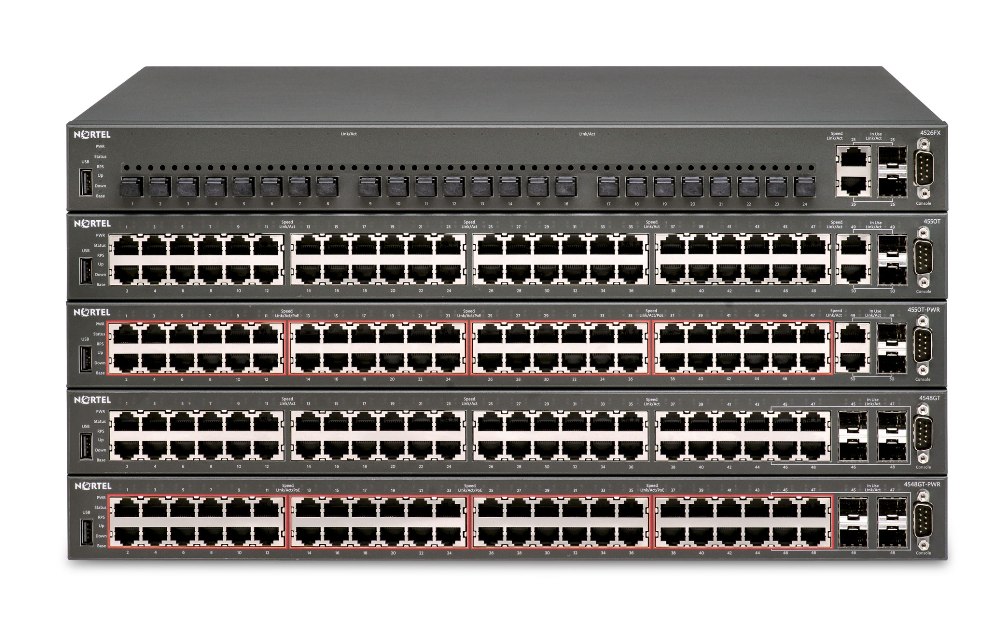
 There can be times when you need to factory reset a switch. This process can be accomplished through the CLI but if you’ve lost the switch password you’ll need to follow a special process. This process should work for any of the Ethernet Switches (450, 460, 470) and the Ethernet Routing Switches 2500 Series, 4500 Series, 5500 (5510, 5520, 5530) Series. There is a different process to recover lost passwords on the Ethernet Routing Switch 1600 and 8600. Please note that by factory resetting the switch you will loose all configuration settings. It will be as if it just arrived from the “factory”.
Follow these steps:
- Connect to the console port of the switch (9600,8,N,1)
- Reboot the switch.
- When the first line of the diagnostics tests is displayed, press CTRL-C. The system then displays a menu.
- Select option “i” to factory default the switch.
- Select option “a” to run the agent code.
Upon boot up, the switch will be in a factory default configuration.
Cheers!
H/W Ver 0A5, S/W Ver 1.2.2.0
That’s the older version… I haven’t worked with that switch in years. I don’t know how you’d factory reset that switch. I do remember that there was an option within Java Device Manager under the Edit -> Chassis tab, this assumes that you have RW SNMP access to the switch.
I would expect that there might be some option to interrupt the boot process and then reset the configuration, but I’ve never done it personally on that switch with that older software.
Good Luck!
No problem, much appreciate the help on the null cable. Great web site. Thanks, Geoff.
Hi,
i lost the access of Nortel 5520-24t-PWR Routing Swtich,
i can’t access through web nor to console, can anyone tell me how to Reset the Switch to Factory Default from UI Button in Front of the Switch..
Thanks
Talib
Hi All,
Sir, how can i encrypted my 5510 switch Password.
I’m trying to get into the web portal of a Baystack 310-24T. I am able to access the console through the comm port and I was able to set the password, but when I go to log into the web portal I don’t know what “User Name” to enter. Anybody know what that would be?
Hi DL,
I didn’t think that the BayStack 310 had a web interface but if you are being challenged you could try either RO or RW (case sensitive).
Good Luck!
Hello,
i didn’t read every post up. Ive a Business Policy Switch 2000 but i dont know the IP Adress. Also i dont know how to get access with the COM port(i cannot find the software in the web).
How can i reset the settings or where can i find informations about that switch ?
Thanks a lot
Hi Max,
You should have read the previous comments… you would have discovered that you need to use a serial communications program such as HyperTerminal.
http://blog.michaelfmcnamara.com/2007/11/factory-reset-nortel-ethernet-switch/#comment-1879
You’ll also need a straight-thru serial cable between your COM port and the switch.
I believe you can use the same process documented in the original post to factory reset the BPS2000.
Good Luck!
Hello Michael
i am new to Nortel switches and i am having problems consoling to the 5520-48T-PWR. I am using a null modem cable, hyperterminal with ocrrect settings, yet with everything connected and i boot the switch i am not seeing anything on my HT screen nor am i able to get to the CLI prompt.
What am i NOT doing corectly?
Hi Abe,
As Geoff suggests you need a straight-thru cable and not a null modem cable. You should configure your terminal emulator at 9600-8-N-1.
You can then either reboot the switch or again as Geoff suggest just hit Ctrl-Y on the console to bring up the menu.
Good Luck!
Abe,
You need a straight-through serial cable (not a null modem cable). If you dont have a straight-through cable get two RJ-45 to DB-9 headshells that are the same (cisco, enterasys, HP, whatever – so long as the two are the same) and plug them together with a straight-through CAT-5/6 cable and bingo – straight-through serial cable for a Nortel switch. Once this is connected and you are running HT hit CTRL-Y (X-ON) and you should get the CLI or menu for the switch
Thanks for helping Abe out Geoff!
I am having issues connecting Nortel Baystack 5510-48T ethernet switches via console cable. I do not have the IP address of the switches so connecting to them that way is not an option. I have read the posts and tried all of the options there but I still cannot get any response from the switch and nothing shows up in the terminal window. I am using hyperterminal with a straight console cable. Any help would be much appreciated.
Hi Eric,
If you’ve reviewed all the comments above then you should have everything you need. If you still can’t make any headway you’ll need to troubleshoot the problem. I would recommend you start by eliminating your serial cable and terminal emulator… do you have another switch you can try or another device? If your serial cable works fine then the switch might be dead.
Good Luck!
I got it finally. Used the pinout diagram in the manual to create my own cable and it worked. For some reason the straight cable would not work. Thanks.
Hi Michael,
I am having a problem in 7 nos 2526T switches. All the ports are hung and total network went down after few minutes. Does the ‘Factory Default’ procedure (shown by you at the top of the page) meet the problem.
Expected your help as you made many customer satisfied
Hi Abhik,
It’s very difficult to provide you any feedback as there aren’t enough details to really draw any conclusions. If you reset the switch does the network return to service? I would probably perform some back troubleshooting to start. Is there link to the desktop/laptop or other edge device? If so does the edge device have an ARP table? (arp -a) If the switch is managed (I believe the 2526 is managed) what does the MAC/FDB table look like on the switch? Is it correct? What if you try and run a packet capture using WireShark?
I would suggest you post any follow-up in the discussion forums.
Good Luck!
Hi Michael,
I have reset the switches along with upgraded the Firmware and the Software with latest version. Thouh it it was upgraded but ‘INTERNAL LOOP TEST FAILED’ was showing during the time of POST checking. AVAYA has recomended to raise the RMA in against of the switches.
Hey Michael,
I’ve been working on a Nortel Baystack 450-24T with Firmware at V1.47 and Software at v3.1.0.22. I’m able to view and interacted with the console via a straight through connection to my serial port using putty. From the moment I reboot the switch I am pressing ctrl-Break (the control to send a break signal in putty, I have also tried ctrl-c). No menu appears. Is there a specific terminal program I should use?
Hi Ammon,
The procedure documented in the original post doesn’t work for the BayStack 450 24-T. Apparently though (depending on software version) you might be able to use the following procedure.
“Power up the switch and when the console port prompts for the password, enter NetICs (this is case sensitive). Don’t bother going to the password page to see what the secret password was, and to change it because this won’t stop a request for the password on the next boot. Instead, in the main menu choose “Reset to Default Settings”. The switch won’t ask you for a password anymore. Reset the switch, if it didn’t already give you the Control-Y screen again (depends on SW version).”
Good Luck!
Hi Michael,
Well, I’d like to know if it is possible to reset a Nortel Switch (2526T) using telnet acess, but i dont remember the RW password, just the RO. Then I’d like to reset it to change the RW password. I tryed to do what you said but it didnt work because i cant connect to the console through Hyper Terminal even using 9600, 8, N, 1. Could you help me?
You’ll need to physically console up to the switch to factory reset it. You need a straight-thru cable at 9600, 8, N, 1. Power cycle the switch when you are connected to the console and you should see the boot process. If that doesn’t work you need to validate that your serial cable and terminal emulator are working properly.
Good Luck!
Hi Michael,
I did it, but it’s not possible to establish the connection. I’ve tryed more than once. Can i reset it by telnet? Or will i need RW password to do this?
I would try and determine why you can’t make a serial connection, or try a different device to prove or disprove your setup. You need the serial connection to the console.
Yes, you can factory reset the switch if you have the RW password but how are you going to reconfigure it without access to the console port?
Good Luck!
Hi Michael (again). Finally, i got it. Thanks for all!
hi am in charege of a network with more than 3000 users i use smnp sofware to monitor the status of the network (watup gold) by ipswitch one of my edge switch Nortel Baystack 5520-48T is indicating to be down yet not i cannot ping it or reach it via any remote connection means,i have restated the switch several times is behaves for at most 30 min the shows to be down again. The smnp is enabled on it just wanted to know wat might be the problem and how to sort is
thanx
charles
Nairobi
Kenya.
Hi Charles,
Please post your question over on the discussion forums. It’s really off-topic for this post.
http://forums.networkinfrastructure.info/nortel-ethernet-switching/
Good Luck!
I have one of these switches, and I am unable to connect to the console port, with a null modem cable. Any assistance would be greatly appreciated.
Thanks
I have one of these too, and I am unable to connect to the console port, with a USB to serial (db9) convertor cable. .. do you know why??
You need a straight-thru serial cable not a null or cross-over serial cable (Cisco console cable).
Good Luck!
Excellent – all working as designed then!!! If you read the posts on this forum you will quickly discover that you need a straight-through serial cable. Also dont forget the Ctrl-Y. (don’t worry, you are not the only one to assume you need a null-modem cable) :)
Mmmmm. . . . my apoligies, there have been a lot of posts since I was here last. It seems that the info I referrred to is buried pretty deep.
No apologies needed Geoff!
I’ll update the original post with the fact that a straight-thru serial cable is needed.
I appreciate the comments and feedback as always!
Cheers!
Hello Michael,
I appreciate if you please tell me the username after setting the password in a nortel 4850GTS swtich. I have set the password in the switch but it requires the username when we want to enter the cli..
The Read-Write user is RW, the Read-Only user is RO.
Good Luck!
Hello Michael!
I have stacked two Nortel 5510-24T switches. Now when I try to go to the Command Line Interface through the menu, it gives a message ‘could not create clip’ and the menu simply re-appears. I am really at my wits end trying to enter the CLI. Please help!
Hi Deep,
I would probably recommend you cold boot the switches… sounds like a software bug.
Cheers!
Hi Michael,
I think the Telnet/Web Access password got erased – somehow – when I stacked the switches and without a password the switch wasn’t allowing me to enter the CLI. So, I entered CLI through console port (no password set) and set password for Telnet access which solved my problem. But now a new issue has crop up – when I am trying to configure a qos ip-acl I get the following message %cannot modify settings and %unable to install access – component creation issue. The solution given in http://support.avaya.com/css/P8/documents/100134575 doesn’t make any sense. Can you suggest something?
The easiest way to change the password on a Nortel or Baystack 450 is find another switch you can get into. Make sure the Firmware and Software on the startup screen is the same as the one with the password on it, if not downgrade it or upgrade it to the same rev levels. Take 2 Cascade modules, install them in the switches being mindful they are NOT to be installed with the power on (non-hot swappable). Make the 450 you can get into without a password the Base by flipping the dipswitch between the Cascade cables on the Cascade Module, make the other dipswitch the opposite of Base. Install the Cascade cables following the up down pattern, crossed. Turn on the Base Switch and wait 10 seconds then turn on the second switch. There should be an led light showing the status of the cascade modules under the Cas, Up, Dwn, Base. Up, Dwn should both be lit on both switches and Base should only be lit on the one you switched to Base. If this is not the case you messed up somewhere or need to check cables, cascade modules for being compatible with the 450 you are on. Not every Module rev or MDA for that matter gets along with each 450 Rev. Anyway once you have the lights lit up, wait 20 seconds for the Cascade Modules to converge after booting the second switch. Then open the menu with console cable on the first switch (9600, 8, N, 1 and no flow control), arrow down to Reset to Default Settings. Hit Enter, toggle the commands with your space bar and there should be a command that says reset entire stack and select yes.
That’s an option assuming the user has the cascade and stacking cables. On the 450 the cascade modules were not included,
Hi Michael,
I have one of Nortel 2526T when i tried to run it, it gives me this massage :
Booting…
Testing main memory – PASSED
Starting..
Ethernet Routing Switch 2526T
Boot Version 1.0.0.6 Wed Feb 07 11:44:42 2007
Hardware Rev: 03
Resets: 127
Initializing Flash..
Reading MAC Address..
MAC Address: 00-23-0d-a9-30-00
Initializing Switch CBs..
Init BCM chip 0 fail (.portsrcsw_init.c: 3665)
Init BCM chip 0 fail (.portsrcsw_init.c: 3665)
Init BCM chip 0 fail (.portsrcsw_init.c: 3665)
Init BCM chip 0 fail (.portsrcsw_init.c: 3665)
Init BCM chip 0 fail (.portsrcsw_init.c: 3665)
Init BCM chip 0 fail (.portsrcsw_init.c: 3665)
Init BCM chip 0 fail (.portsrcsw_init.c: 3665)
Init BCM chip 0 fail (.portsrcsw_init.c: 3665)
Best regards.
anyone is help me to find out the problem of assertion failed in nortel 5510t switch
plz help
Hi Ankit,
What version of software?
What is the actual error message?
What is the configuration?
Good Luck!
Hi all,
my Nortel 5510 started to show FAIL results on test 211. Ports from 25 to 36 are not working.
Using the console I can hit “a” and finish the boot and still use the remaining good ports.
Is there a way to have the switch automatically boot to the agent part without using the console?
I’ll buy a new hardware but need something until I receive the new unit.
Hi Leonardo,
Unfortunately there’s no way to bypass the POST (Power On Self Test) so you need to hit “a” to acknowledge the hardware failure and launch the agent software.
Cheers!
Working with a 4548GT-PWR straight thru cable just trying to reset to factory settings and set ip address…
Setup terminal (hyperterminal or putty both do it), can see screen console, no keystrokes seem to get received by switch for some reason.
Here is screen capture below… is it something i’m doing wrong?
+++++++++++++ screen output ++++++++++++++++++++++++
booting…
Testing main memory – PASSED
Starting…
Ethernet Routing Switch 4548GT-PWR
Boot Version 5.0.0.9 Fri Dec 29 10:11:21 2006
Hardware Rev: 01
Resets: 72
Initializing Flash…
Reading MAC Address…
MAC Address: 00-1c-9c-44-70-00
Initializing Switch CBs…re Info :
Version number : 400
Product number : 0
Build : 1
Attaching SOC unit 0… PCI device ASIC1 attached as unit 0…
Attaching SOC unit 1… PCI device ASIC2 attached
Diagnostic Version 5.1.0.7 Fri Oct 05 10:37:44 2007
Press Control-C to Enter Diag
Test ROM Config – PASSED
Test FANs – PASSED
Test Internal Loopback – PASSED
Test ASIC1 Registers – PASSED
Test ASIC2 Registers – PASSED
Test PHY Registers – PASSED
Test USB Registers – PASSED
Starting Agent Code…
Decompressing the image done.
Initializing ……
Broadcom Command Monitor: Copyright (c) 1998-2005 Broadcom
Completing initialization…
### ### ########### ########## ############# ########### ###
#### ### ############# ############ ############# ########### ###
##### ### ### ### ### ### ### ### ###
###### ### ### ### ### ### ### ### ###
### ### ### ### ### ############ ### ######### ###
### ### ### ### ### ########### ### ######### ###
### ###### ### ### ### ### ### ### ###
### ##### ### ### ### ### ### ### ###
### #### ############# ### ### ### ########### ###########
### ### ########### ### ### ### ########### ###########
Enter Ctrl-Y to begin.
***************************************************************
*** Ethernet Routing Switch 4548GT-PWR ***
*** Nortel ***
*** Copyright (c) 1996-2007, All Rights Reserved ***
*** SSH ***
*** HW:01 FW:5.1.0.7 SW:v5.1.1.005 ***
***************************************************************
++++++++++++++++++++++ end of capture +++++++++++++++++++++++
Is it possible to test on another switch?
Good Luck!
works to another switch…. not nortel one…. but com works
Hello Michael,
do you know any way to set back a Nortel Baystack 5100-T48 to factory settings without any connection? I bought a used one for a testing range and got it without any software or knowledge about the settings. Could be possible, that there are defined v-lans or maybe it´s just damaged. However, there are several ports, that don´t communicate, even when the lights are traffic-flashing. So without access and even without knowing anything about the configuration i can do nothing with it…
Need help :-)
I can’t recall if there is a UI button on the ERS 5100 series, if so you might be able to factory reset the switch from the button.
https://blog.michaelfmcnamara.com/2009/07/user-interface-button-ui-button/
Else, you’ll need to invest in a serial cable and adapter and use PuTTy to factory reset the configuration.
Cheers!
Booting…
Testing Memory………………………….
Starting..
Ethernet Routing Switch 5510-48T
Hardware Rev : 4
CPU CLOCK :266000000
Resets: 1540.
Initializing Flash..
Reading MAC Address..
MAC Address: 00:11:58:23:58:00
Initializing Switch CBs
PCI unit 0: Dev 0x5670, Rev 0x02, Chip BCM5670_A1, Driver BCM5670_A0
PCI unit 1: Dev 0x5690, Rev 0x03, Chip BCM5690_A2, Driver BCM5690_A0
PCI unit 2: Dev 0x5690, Rev 0x03, Chip BCM5690_A2, Driver BCM5690_A0
PCI unit 3: Dev 0x5690, Rev 0x03, Chip BCM5690_A2, Driver BCM5690_A0
PCI unit 4: Dev 0x5690, Rev 0x03, Chip BCM5690_A2, Driver BCM5690_A0
Attaching SOC unit 0… PCI device BCM5670_A1 attached as unit 0.
Attaching SOC unit 1… PCI device BCM5690_A2 attached as unit 1.
Attaching SOC unit 2… PCI device BCM5690_A2 attached as unit 2.
Attaching SOC unit 3… PCI device BCM5690_A2 attached as unit 3.
Attaching SOC unit 4… PCI device BCM5690_A2 attached as unit 4.
Diagnostic Version 6.0.0.18 May 16 2013, 17:01:54
Test 102 ROM Config – PASSED
Test 104 FANs – PASSED
Test 207 XGS SWITCH Registers – PASSED
Test 208 FABRIC Registers – PASSED
Test 211 PHYs Register – PASSED
Test 212 Internal Loopback – PASSED
Press Esc to Enter Diag
## Bad Agent Checksum
Boot failed, change to next agent try again
## NO Agent Code Found
Press ‘a’ Launch Agent Vers: (unknown)
Press ‘c’ Toggle Primary Agent Selection
Press ‘d’ to Download agent code
Press ‘e’ to display Errors
Press ‘i’ to Initialize config/log config control in Both flash
Press ‘p’ to run POST tests
Press ‘r’ to Reboot
Press ‘s’ to run Stack external loopback test
I have two no’s of Baystack 5510-48T port Switch and having booting issue, and while powering on giving above log, anybody can give suggest on this issue or help.
There’s no agent software on the switch, you need to upload the agent software to the switch.
Good Luck!
hello,
I have the same problem,please teach me how to upload the agent software to switch
Need help
Hi Guys,
I want to enable the SSH in avaya 3524gt-pwr+
Anyone can help me?
You need to install the “secure” agent code.
Cheers!
Good day Michael.
Is there an option to enable the SSH on avaya switch 3524gt-pwr+?
You need to install the “secure” agent code.
Cheers!
Hi Michael Mcnamara,
Testing main memory – PASSED
Starting…
Ethernet Routing Switch 4548GT
Boot Version 5.0.0.9 Fri Dec 29 10:11:21 2006
Hardware Rev: 05
Resets: 111
Initializing Flash…
Reading MAC Address…
MAC Address: 00-25-c3-00-14-00
Initializing Switch CBs…
Init BCM chip 0 fail (port/src/sw_init.c: 5542)
Init BCM chip 0 fail (port/src/sw_init.c: 5542)
Init BCM chip 0 fail (port/src/sw_init.c: 5542)
Init BCM chip 0 fail (port/src/sw_init.c: 5542)
Init BCM chip 0 fail (port/src/sw_init.c: 5542)
Init BCM chip 0 fail (port/src/sw_init.c: 5542)
Init BCM chip 0 fail (port/src/sw_init.c: 5542)
Init BCM chip 0 fail (port/src/sw_init.c: 5542)
Init BCM chip 0 fail (port/src/sw_init.c: 5542)
Init BCM chip 0 fail (port/src/sw_init.c: 5542)
Init BCM chip 0 fail (port/src/sw_init.c: 5542)
Init BCM chip 0 fail (port/src/sw_init.c: 5542)
Please Provide solution.
Replace the hardware.
Good Luck!
We have some Nortel BayStack 470 24T and 48T ports, I need to upgrade firmware and diagnostic image for both models, but unfortunately, it is available on Avaya website and it is requiring company id# support.
If you could have them I would appreciate your help.
Thank you
Sorry, I don’t provide any software.
(2nd attempt to post this reply — seems the first wasn’t successful…apologies if it turns up twice)
Hi Michael,
Seems you must be the world authority on Nortel managed switches! :-)
Wonder if you would be so kind as to assist me with something?
I’ve just acquired a Nortel 4526 GTX-PWR that I intend to use in my security camera rack to power and manage an array of Ubiquiti G3 security cams.
Apologies in advance — my experience with managed switches is next to zero but I’m old enough to remember when a serial port was about the only way you could talk to a computer from an external device, so been around the block in that space a few times!
I’ve gone through the installation manual prepare to run the setup, but I can’t get the switch to respond to my terminal software through the com port on the DB-9 connector.
I’ve got a Linux laptop running Putty in VT200 terminal emulation mode (Putty seems to do VT200 but not VT100 for some reason, although the Nortel switch manual recommends VT100) connected directly through the DB-9 laptop serial port via a straight through cable. I’ve configured the serial port in Putty with all the recommended parameters (9600, 8, 1, N,N) but there is no response from the switch. Putty connects to the cable successfully.
I’ve done a loopback test through the serial cable and confirmed that the serial port is actually sending and receiving data, but I get no response from the switch when the cable is connected to the switch. Have power cycled the switch after connecting the serial cable, no response. Have also tried the CNTL+Y, again, no response.
This seems to be the key to current impasse: The STATUS light on the switch is flashing green, indicating from the information in the installation guide that the switch is: ‘loading agent code’.
I see in the thread above that you have advised others that ‘agent code’ is required for certain applications.
Do I take this to mean that in order to initialise this switch that it’s necessary to first load ‘agent code’ firmware through the USB port before I can communicate with the switch through the serial port? And if this is the case, are you aware of who/where this ‘agent code’ has to come from?
If it is not available from Nortel/Avaya, do you know if it is possible to acquire it from another licensed agent?
I don’t have any login credentials for the switch or account/service contract with Nortel/Avaya.
Many, many thanks in advance for your help. FYI, I’m located in Western Australia.
Hi Rob,
If memory serves me correctly you need a null cable to a Nortel/Avaya switch. With your cable connected cold boot the switch and you should see the POST routine. If you don’t there’s something wrong with your setup.
Cheers!
Hi, any one knows if the serial cable needed to connect to the ERS 5600 series is Null-modem or Straight Through?
I connect to 5510 through Putty, but all I get is unreadable characters. From searching in the internet, it looks like the encoding might not be the right one. Does anyone know what are the character encoding settings? Or maybe, any other idea?
I try pressing Ctrl-C, then I, then A, all those without knowing what is displayed, but nothing happens.
Likely the issue is the speed/baud… the default is 9600-8-N-1.
Good Luck!
Hai Michael
I Have 4 ERS 4950 gts switches.Is there any way to access these switches through java device manager? i am using JDM v 6.2.1.4
Nope you need to use the WebUI to access those switches.
Cheers!