Category Archives: EthernetRtngSwitch

Avaya Ethernet Routing Switch 4800 Series – Configuration Template

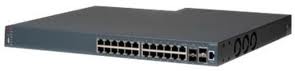
Avaya4824GTS-PWRThis is a follow-up post to my wildly popular article entitled, Nortel ERS 5520 PwR Switch which I posted back in October 2007 providing a working configuration for an Avaya Ethernet Routing Switch 5520 for IP telephony deployments.

Here’s the configuration template that I’m currently using today for the Avaya Ethernet Routing Switch 5500, 4800 and 4500 series switches. This is essentially a best practices configuration for a typical closet/edge switch (Layer 2) with ADAC/LLDP-MED for completely automated, zero-touch IP telephony deployments.

With the firmware that currently ships with the Avaya 1100 and 1200 series IP phones you only need to unbox the phone and connect it to the network. You’ll also need to make sure that you have your provisioning files setup properly but you can easily attain a zero-touch configuration for greenfield deployments.

Please note there are a some options in this post which are only available in the later software releases for each switch model. These commands were tested on an Avaya Ethernet Routing Switch 4850GT-PWR+ running 5.6.2 software.

We need to be in privileged mode before we can enter configuration mode;

enable
configure terminal

Let’s start by setting the read-only and read-write passwords (the default usernames are RO=read-only and RW=read-write)

cli password read-only ropassword
cli password read-write rwpassword
cli password serial local
cli password telnet local

If you don’t care to see the banner when connecting via telnet then disable it;

banner disable

If you are working with an Avaya Ethernet Routing Switch 5000 series switch let’s disable the UI button on the outside of the switch. This feature is only available on the ERS 5000 series switches so this command won’t work with the ERS 4000 series switches.

no ui-button enable

Let’s set VLAN control to autopvid, this will instruct the switch to change the PVID to the VLAN assigned to the port for access (UntagAll) ports.

vlan configcontrol autopvid

If we have 2 or more switches in a stack configuration we’ll utilizing ports on both switches for our uplinks, 1/48 and 2/48. If we only had a single switch and not a stack of switches we would use 47 and 48. We need to enable 802.1Q trunking (TagAll) and filter (drop) and untagged frames that might accidentally be sent across the port.

vlan ports 1/48,2/48 tagging enable
vlan ports 1/48,2/48 filter-untagged-frame enable

As a best practice you should never use VLAN 1, too many reasons to list here. By default ever port is a member of VLAN 1 so let’s remove VLAN 1 from all ports;

vlan members remove 1 ALL

Let’s create a management VLAN and add that VLAN to our 802.1Q uplinks;

vlan create 200 name "10-107-255-0/24" type port
vlan members add 200 1/48,2/48

Let’s create a (default) closet VLAN and add that VLAN to all the ports in the stack;

vlan create 10 name "ICR1_1stFloor" type port 
vlan members add 10 1/ALL,2/ALL

Let’s create a voice VLAN which we’ll using in our ADAC and LLDP-MED configurations and we’ll add that VLAN to our uplinks;

vlan create 11 name "Voice" type port voice-vlan
vlan members add 11 1/48,2/48

Continue reading

DHCP Snooping ARP Inspection IP Source Guard

890258_17394208Here are three features that are often not implemented in most networks but could help to really address security shortcomings and potential operational issues.

I’ve recently started implementing DHCP Snooping, Dynamic ARP Inspection and IP Source Guard in my networks so I thought I’d take the time to strike up a conversation around those features and hear what everyone else is doing.

These features are all intended to provide a more stable network environment and help protect against intentional and unintentional events that can interfere with the proper operation of the network. Before we can implement any of these features we need to understand how they work and what changes (if any) will be needed to support them.

Hopefully most people have Spanning Tree, FastStart, BPDU filtering (guard) and Broadcast/Multicast rate limiting enabled by now but if you don’t you should certainly look at enabling and configuring those features before you start to try any of the ones I’m about to discuss.

The sample configuration code provided below is applicable for Avaya Ethernet Routing Switches.

DHCP Snooping

Dynamic Host Configuration Protocol (DHCP) snooping provides security to the network by preventing DHCP spoofing. DHCP spoofing refers to an attacker’s ability to respond to DHCP requests with false IP information. DHCP snooping acts like a firewall between untrusted hosts and the DHCP servers, so that DHCP spoofing cannot occur. There are 2 types of ports in DHCP snooping, trusted and untrusted. The network will only allow DHCP responses from trusted ports – usually uplinks as opposed to allowing DHCP responses from untrusted ports – usually edge switch ports.

Example, if someone brings a Linksys router into the office and connects the LAN side to your network the Linksys router will start handing out 192.168.1.x IP DHCP addresses which will likely cause some chaos. DHCP Snooping will prevent those DHCP responses from poisoning your network. I’m happy to admit that this is happened to me on more than one occasion, usually at our remote finance office where auditors think their second job could be in Information Technology.

DHCP Option 82 – With DHCP Option 82 the switch will append additional information to the DHCP request which can be stored in your IPAM (IP Address Management) solution to help identify the switch and port from which the request was initiated. This can provide diagnostic and troubleshooting information which can all be stored directly in your IPAM if it supports DHCP Option 82. Infoblox supports DHCP Option 82.

The latest software releases support the ability to copy the DHCP binding table up to a TFTP server. This prevents the switch from throwing away all the previously learned DHCP transactions between reboots or restarts of the switch.

In this example our uplinks are 1/24 and 2/24, all interfaces are untrusted by default.

ip dhcp-snooping vlan 10
ip dhcp-snooping vlan 11
ip dhcp-snooping enable

interface fa 1/24,2/24
 ip dhcp-snooping trusted
exit

If you want to enable DHCP Option 82 support;

ip dhcp-relay option82
interface vlan 10
 ip dhcp-relay option82
interface vlan 11
 ip dhcp-relay option82

You can also edit the text string the switch will append per port with the following;

interface FastEthernet 1
 ip dhcp-relay option82-subscriber-id <string 1..255>

Issues with DHCP Snooping

While you need to properly identify trusted and untrusted ports there are very few draw backs to utilizing DHCP snooping. It only prevents DHCP replies from untrusted ports essentially preventing DHCP spoofing in the network. DHCP Snooping can be enabled in most networks with a few configuration changes and very little danger (impact).

Dynamic ARP Inspection

Dynamic Address Resolution Protocol (Dynamic ARP) inspection is a security feature that validates ARP packets in the network.

Without dynamic ARP inspection, a malicious user can attack hosts, switches, and routers connected to the Layer 2 network by poisoning the ARP caches of systems connected to the subnet and by intercepting traffic intended for other hosts on the subnet. Dynamic ARP inspection prevents this type of attack. It intercepts, logs, and discards ARP packets with invalid IP-to-MAC address bindings.

The address binding table is dynamically built from information gathered in the DHCP request and reply when DHCP snooping is enabled. The MAC address from the DHCP request is paired with the IP address from the DHCP reply to create an entry in the DHCP binding table.

When you enable Dynamic ARP inspection, ARP packets on untrusted ports are filtered based on the source MAC and IP addresses stored in the DHCP snooping table. The switch forwards an ARP packet when the source MAC and IP address matches an entry in the DHCP snooping table. Otherwise, the ARP packet is dropped.

For dynamic ARP inspection to function, DHCP snooping must be globally enabled. Dynamic ARP inspection is configured on a VLAN to VLAN basis.

Let’s enable Dynamic ARP Inspection on VLANs 10, 11 and set our uplinks as trusted;

ip arp-inspection vlan 10
ip arp-inspection vlan 11
ip arp-inspection enable

interface fa 1/24,2/24
 ip arp-inspection trusted
exit
interface fa 1/1-23,2/1-23
 ip arp-inspection untrusted
exit

Issues with Dynamic ARP Inspection

Dynamic ARP Inspection relies on the information stored in the DHCP binding table (from DHCP Snooping) to validate the ARP packets it receives on untrusted ports. Any device whether it be statically configured or dynamically configured would need to appear in the DHCP binding table.

If you have a statically configured device you’ll need to manually populate the DHCP snooping table. If someone changed out a statically configured device the MAC address would most likely need to be updated in the DHCP binding table. If the DHCP binding table was accidentally cleared the switch would block IP traffic until the DHCP binding table was re-built either manually or from DHCP transactions.

This is another great reason to use manual or reserved DHCP assignments where possible if the device requires a persistent IP address.

This feature will likely create some significant administrative overhead based on the number of devices configured with a static IP address over the number of DHCP configured devices.

IP Source Guard

IP Source Guard provides security to the network by filtering clients with invalid or spoofed IP addresses. IP Source Guard is a Layer 2 (L2), port-to-port feature that works closely with information in the Dynamic Host Control Protocol (DHCP) snooping binding table. When you enable IP Source Guard on an untrusted port with DHCP snooping enabled, an IP filter entry is created or deleted for that port automatically, based on IP information stored in the corresponding DHCP binding table entry. When a connecting client receives a valid IP address from the DHCP server, a filter is installed on the port to allow traffic only from the assigned IP address. A maximum of 10 IP addresses are allowed on each IP Source Guard-enabled port. When this number is reached, no more filters are set up and traffic is dropped.

While Dynamic ARP Inspection blocks only ARP packets, IP Source Guard blocks all IP packets.

interface fa 1/1-23,2/1-23
 ip verify source
exit

Issues with IP Source Guard

IP Source Guard utilizes the information stored in the DHCP binding table (from DHCP Snooping) to validate the IP traffic. Any device whether it be statically configured or dynamically configured would need to appear in the DHCP binding table. Statically configured devices would need to be manually placed in the DHCP binding table. If someone changed out a device the MAC address would most likely need to be updated in the DHCP binding table. If the DHCP binding table was accidentally cleared the switch would block IP traffic until the DHCP binding table was re-built either manually or from DHCP transactions.

This feature will likely create some significant administrative overhead based on the number of devices configured with a static IP address over the number of DHCP configured devices.

My Thoughts

I’m taking a split approach right now, let me explain. I’ll be utilizing DHCP snooping and DHCP Option 82 throughout my network. Unfortunately due to the administrative overhead required to leverage Dynamic ARP Inspection and IP Source Guard I’m only planning on implementing those features at my smaller remote offices – the ones I usually have issues with from a security perspective. Since those remote offices are much smaller and usually don’t make too many changes it offers me the opportunity to evaluate the new features without over taxing my network administrators and engineers.

Cheers!

It’s the networks fault #7

network_cable_by_tootallHave you noticed that the web site is any faster? No it’s not magic, I’ll tell you all about it in another post next week.

Articles

  • United Boeing 787 Dreamliner: Butt-In-Seat Economy Plus Review – Stephen Foskett provides a detailed hands-on report from his recent travels in one of United Airlines newest airplanes as he traveled from San Fransisco, CA to Houston, TX.
  • Impressions of Windows 8 – Bob Plankers gives his impressions of Windows 8. Personally I haven’t really looked at it beyond reading a few reviews here and there. I might jump on the ChromeOS bandwagon before I try Windows 8.
  • Security Policies – Logging (SRX Traffic Logs) – Stefan Herbst details how to configure logging on the Juniper SRX appliances. The logging itself seems very powerful but I have a question, where can I see a log entry if my Ethernet port went down? The logging has an emense amount of detail for all the different services and subsystems but it seems to come up short (or I haven’t figured out how to configure it yet) how to just get the basics such as OSPF down, Ethernet down, tunnel down, Ethernet up, tunnel up, OSPF up, etc. without turning on debug and being overwhelmed with data.
  • Bandwidth requirements for long distance vMotion – Duncan Epping tries to answer Kurt Bales question around vMotion bandwidth requirements. I personally didn’t realize there was a bandwidth requirement but I did know that there was a RTT requirement of 5ms or less between the ESX hosts.
  • Robert Half International Salary Guides – Robert Half has a number of salary guides available that are very accurate for those of us in the continental United States and Canada.

Software Releases

Avaya Ethernet Routing Switch 5000 Software Release v6.2.5

Avaya has released software v6.2.5 for the Ethernet Routing Switch 5000 Series.

Here’s the list of fixes in this release;

  • In an IST setup where 5xxx stack of two units is connected to 5xxx standalone. Whenever the non- base unit is powered off or rebooted, the base units IST ports are going down along with the peer ports resulting in IST going down (wi00927807)
  • With DHCP snooping enabled, the TFTP transfer to the iMAC client is truncated (wi00952434)
  • EDM users were able to disable/enable ports on devices that were not assigned to users (wi01035327)
  • EDM was not properly showing port description for copper ports 91-96 on ERS5698 (wi01035332)
  • An EDM Topology Error message was generated when accessing the topology tab (wi00958431)
  • In a 2-unit stack the SLT is not behaving as expected after power on the BU of any of the stack in IST (wi00975074)
  • 5xxx software exception with task tDCHP and DCHP relay related (wi00978796)
  • A data access exception “Task Name tOspfTxHel” was resolved in this release (wi00975340)
  • Missing egress OSPF hello packets at times caused OSPF adjacency to drop (wi00955758)
  • In a 2-unit stack IST configuration, when the BU was rebooted there were intermittent ping loss (wi00984502)
  • In an SMLT cluster made up of 2-unit stacks, inconsistent behavior was observed when a unit in one of the stacks failed (wi01002374)
  • Ping or Telnet to any DNS hostname could cause instability in management VLAN requiring a reboot of the stack (wi00933202)
  • “no qos dos” command was not available from Interface Configuration mode (wi00981561)
  • EAPOL authentication issue when Radius Queue is Full (wi01014155)
  • Stale EAP entries after the EAP clients have been disconnected (wi01014163)
  • 6.2.4 code release was generating incorrect IPv4 ICMP redirect (wi00996235)
  • NMAP scanning tool blocked new telnet session to the switch requiring a reboot to recover (wi00958131)
  • An intermittent MAC Learning Issue was addressed in this release (wi00984022)
  • Wake-on-LAN (WOL) did not work for NEAP clients (wi01034823)
  • 5600s Intermittently locks and stops forwarding traffic requiring a reboot to recover (wi00980701)
  • Read only user profiles were able to successfully edit port state & VLAN parameters using built in EDM (wi00989751)
  • Fix a silent reset that was reproduced with heavy ARP traffic and the ARP cache getting cleared every 4 minutes (wi00993098)
  • Addressed a console lockup issue that was reproduced under heavy ARP traffic and as the ARP cache was being cleared every 4 minutes (wi00994932)
  • Intermittent bcmTx task Lock up when switch stops forwarding traffic (wi00980701)

You can find all the details in the release notes on the Avaya website.

Avaya Ethernet Routing Switch 4000 Software Release v5.6.2

Avaya has released software v5.6.2 for the Ethernet Routing Switch 4000 Series.

Here’s the list of fixes;

  • wi01026335 100FX SFP, Display: The Avaya 100FX SFP (AA1419074-E6) is now correctly displayed as a supported SFP in variations of the switch which can support slow speed SFPs.
  • wi01054301 801.2X, RADIUS Health Check: The RADIUS health check password is now correctly encrypted with the server key when sending a reachability packet to the RADIUS server.
  • wi01047335 802.1X, Clear MAC Address: When issuing the clear mac-address-table address <x> command against an EAP/NEAP MAC address it is now correctly removed from the Layer2 MAC Address table.
  • wi01049393 802.1X, RADIUS Reachability, ASCII Config: RADIUS Reachability username is now correctly output when generating an ASCII configuration file.
  • wi01046960 802.1X, RADIUS Reachability, IPv6, Log Messages: Log messages related to RADIUS Server reachability are now correctly displayed when RADIUS servers are configured for IPv6.
  • wi01032441, wi01032439 802.1X, RADIUS VLANs (RAV), DHCP Requests, Wrong VLAN: When the switch boots, DHCP traffic is now correctly blocked until EAP/NEAP authentication starts. Previously DHCP request would be forwarded by the switch before EAP authentication, which could result in the end device obtained an IP Address which may be in the wrong VLAN is RADIUS Assigned VLANs (RAVs) are used.
  • wi01055405Diags, New Agent Software: The diagnostics software has been updated to correctly recognise 5.7.0 and later agent code releases.
  • wi01053526 Diags, PoE+, 4850GTS, Shared Ports: An diagnostics internal loopback error which occurred when some devices were connected to the shared ports (47 or 48) on the 4850GTS or 4850GTS-PWR+ has now been addressed.
  • wi01055434 Diags, PoE+, Warm Boot: The diagnostics now correctly keeps PoE+ disabled during a warm boot process until control is passed to the agent software.
  • wi01034775 EDM, ECMP: The Maximum Path value in the ECMP configuration tab for EDM can now be changed from the default value of 1 and successfully applied to the switch.
  • wi01029886 EDM, Help File, ASCII Config: EDM Help file path is now correctly output when generating an ASCII configuration file.
  • wi01042035 EDM, Password Display: EDM now correctly shows console/web/telnet passwords when operating as a single unit or a stack.
  • wi01042931 EDM, PoE Port status: EDM now correctly displays PoE status when requesting output for a large number of PoE ports, rather than displaying “Request timed out” error.
  • wi01006349 EDM, Username, Software Exception: An issue which existed when a username longer than 2 characters was entered into EDM has now been addressed. The switch will no longer product a software exception.
  • wi01034869 ERS 4500, PoE, Power failover: ERS 4500-PWR models (4526T-PWR, 4550T-PWR, 4524GT-PWR, 4526GTX-PWR, 4548GT-PWR) with Hardware revision 12 or later will now correctly maintain PoE when switching to redundant power when the PoE firmware 4500_PoE_400b15.img is loaded on the units. Note: this firmware should not be loaded on to ERS 4500-PWR+, ERS 4800-PWR+ or ERS 4500-PWR with Hardware revision lower than HW revision 12.
  • wi01042478 ERS 4500, Shard Ports, Duplex Settings: User configured duplex settings are now correctly retained for the shared ports on ERS 4500 Gigabit models.
  • wi01043265 ERS 4800, Port Mirroring: Traffic is now correctly not mirrored on the switch then Port Mirroring Allow Traffic is Disabled
  • wi01010344, wi01006771 Memory Leak, IPFix: A memory leak which could cause a switch to reset between 22-28 days when IPFiX is enabled has been rectified. The switch will no longer reset with a task exception after this period of time when IPFix is enabled.
  • wi01039472 QoS: The “show qos agent” output has been enhanced to provide information on the queue-set and buffer usage.
  • wi01034053 SNMP Trap, IP Source Guard: SNMP Traps for IP Source Guard for the last unit in a stack are now correctly enabled by default.
  • wi01042163 Static MAC Address, MLT: The switch will now correctly produce an error message if you try to enable an MLT which has a port with static MAC addresses configured.
  • wi01028451, wi01049826 VLACP not working with Ethertype 8102: Interoperability issues with VLACP using Ethertype 8102 (default Ethertype for SLPP-guard) have now been addressed.

You can find all the details in the release notes on the Avaya website.

Avaya Ethernet Routing Switch 4850GTS-PWR+

I’m currently doing an in-depth evaluation of the ERS 4850GTS-PWR+ for my organization as we prepare to expand one of our facilities to meet the growing needs of the surrounding community. The ERS 4850GTS-PWR+ provides 48 10/100/1000 802.3at PoE+ & 2 SFP ports plus 2 SFP+ ports & HiStack ports. You can order the switch with a 300W or 1000W power supply depending on your needs. The switch chassis will accept a redundant 300W or 1000W hot swappable power supply.

I was provided 2 evaluation units, ERS 4826GTS-PWR+ by our (value added) reseller. Interestingly enough I had some issues running software release 5.6.0 when I would reboot (soft) the stack of 2 switches. In the majority of cases the stack would not recover after the reboot until I power (cold) cycled both switches. That issue appears to have been resolved in 5.6.1 software as I have yet to observe that problem since I upgraded. I’m testing the switch with a number of desktops, laptops, IP phones, wireless access points, etc. I have yet to find an 802.3at device that I can use to test with in the office, although I’m hoping that Motorola has some 802.3at access ports that I can test.

The ERS 4800 has the ASICs that can support Avaya’s VENA architecture where as the ERS 5500 and 5600s won’t be able to support VENA.

Cheers!