I hope everyone has a Merry Christmas and a Happy New Year!

technology, networking, virtualization and IP telephony
I hope everyone has a Merry Christmas and a Happy New Year!
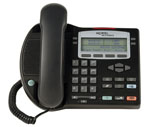 You’re going to have to read this document for yourself. Somehow its possible for an i2002, i2004, i2007, 1120e, 1140e and 1150e to throw a loop into the network when the devices are powered by external power supplies as opposed to using a PoE (Power Over Ethernet) switch.
As a rule of thumb I enable Spanning Tree with Fast Learning on all our edge switches since the auto MDI-X feature makes it very easy for a user or inattentive network engineer to physically put a loop in the connect by connecting to edge ports with the same patch cable.
Cheers!
Update: Thursday December 18, 2008
I’ve fixed the broken link above… Thanks Bob!
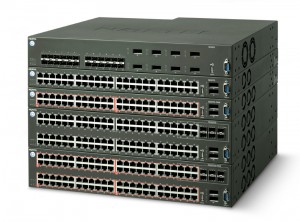 Nortel has released a new version of software for the Ethernet Routing Switch 5500 that adds quite a few new software features along with support for the Nortel Ethernet Routing Switch 5600 Series.
I’ve posted the release notes for those that are interested in browsing them. I thought I would note that there is a resolved issue in 6.0 for people experiencing problems with ADAC changing the port PVID.
Here are the five new ERS 5600 models;
• Nortel Ethernet Routing Switch 5698-TFD
• Nortel Ethernet Routing Switch 5698-TFD-PWR
• Nortel Ethernet Routing Switch 5650-TD
• Nortel Ethernet Routing Switch 5650-TD-PWR
• Nortel Ethernet Routing Switch 5632-FD
Just don’t try to manage that 6.0 switch with an older version of Nortel’s Java Device Manager. Device Manager support for the ERS5500 and ERS5600 v6.0.0 will be in Java Device Manager v6.1.6 targeted for availability from www.nortel.com by 2008-12-19.
Cheers!
Update: Sunday December 21, 2008
Nortel has now released software v6.0.1 for the Nortel ERS 5500/5600 series.
Cheers!
The Nortel Discovery Protocol (NDP) formerly called SynOptics Network Management Protocol (SONMP) is a data link layer (Layer 2) network protocol for topology discovery of Nortel devices. It’s very similar to the Cisco Discovery Protocol (CDP) if only just a little simpler.
I’ve used the Nortel Discovery Protocol on a number of occasions to help document and troubleshoot problems within a network. While Nortel’s Java Device Manager (GUI) provides support for displaying the topology table it leaves some very vital information out, specifically the remote card and port from where the connection is originating. You can however, view that information from the CLI interface of Nortel’s Ethernet Switches (ES) and Ethernet Routing Switches (ERS).
Here’s an example of the topology table from an Ethernet Routing Switch 5530 stack which is Split MultiLink Trunk (SMLT) connected to a cluster pair of Ethernet Routing Switch 8600s;
5530-24TFD#show autotopology nmm-table
LSlot                                                                     RSlot
LPort IP Addr          Seg ID  MAC Addr     Chassis Type     BT LS   CS   RPort
----- --------------- -------- ------------ ---------------- -- --- ----  -----
0/ 0 10.102.255.65   0x000000 00159BEACC00 5530-24TFD       12 Yes HTBT    NA
1/23 10.102.1.5      0x000406 0004387070E8 Passport 8610    12 Yes HTBT   4/ 6
2/47 10.102.1.6      0x000406 000FCDF1E0E8 Passport 8610    12 Yes HTBT   4/ 6
You can see from the information above that ports 1/23 and 2/47 on the ERS 5530 connect to port 4/6 on the ERS 8600 Core A (10.102.1.5) and port 4/6 on the ERS 8600 Core B (10.102.1.6).
Looking at one of the core ERS 8600 switches we can see the following topology table;
ERS8600:5# show sys topology

================================================================================
Topology Table
================================================================================
Local                                                                     Rem
Port  IpAddress       SegmentId MacAddress   ChassisType      BT LS  CS   Port
--------------------------------------------------------------------------------
0/0  10.102.1.5      0x000000  000438707000 ERS8610          12 Yes HtBt  0/0
1/1  10.102.1.6      0x000101  000fcdf1e000 ERS8610          12 Yes HtBt  1/1
1/5  10.102.255.19   0x00012f  001e7e7b0c01 mBayStack4500-48GT-PWR 12 Yes HtBt  1/47
1/6  10.102.255.35   0x000130  000cf73c25c1 mBayStack470     12 Yes HtBt  1/48
1/7  10.102.255.60   0x00012f  0014c733e401 mBayStack5520-48T-PWR 12 Yes HtBt  1/47
2/20 10.102.1.9      0x000201  001d427b7040 ERS8610          12 Yes HtBt  2/1
4/1  10.102.1.6      0x000401  000fcdf1e0c0 ERS8610          12 Yes HtBt  4/1
4/4  10.102.255.45   0x000119  0011f9abc541 mBayStack470-24T 12 Yes HtBt  1/25
4/6  10.102.255.65   0x000117  00159beacc00 mERS5530-24TFD   12 Yes HtBt  1/23
4/7  10.102.255.75   0x000132  000e40eb4031 Passport1648     12 Yes HtBt  1/50
9/1  10.102.255.25   0x000119  00802deb6150 mBayStack450     12 Yes HtBt  1/25
You can see from this table that there are quite a few edge/closet switches connected to this specific ERS 8600 and you can quickly and easily identify which ports they are connected to.
Cheers!
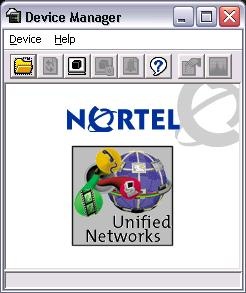 I recently started having a problem launching Nortel’s Java Device Manager on my Windows XP desktop. Upon launching the application nothing would appear on my desktop but I could see the “java.exe” process in Task Manager.
I tried uninstalling the application but the uninstall appeared to hang toward the end as it was cleaning out the registry, I eventually had to kill the uninstall process. I even tried installing the latest and greatest version only to be denied at every turn. Then I recalled that the application liked to keep a list of recently accessed switches and settings somewhere on the hard disk.
I found the location under “C:\Documents and Settings\<USER_ID>\jdm” although be warned that the folder is hidden so you’ll need to make sure that you can see hidden files (Tools -> Folder Options -> View -> Show hidden files and folders). I deleted the folder and bang I was back in business again.
I was fearing the dreaded Windows re-install, thank god I didn’t have to go through that!
Cheers!